
New Features
Exciting New Features
Custom Instruction Add‑Ons for Brand Bots
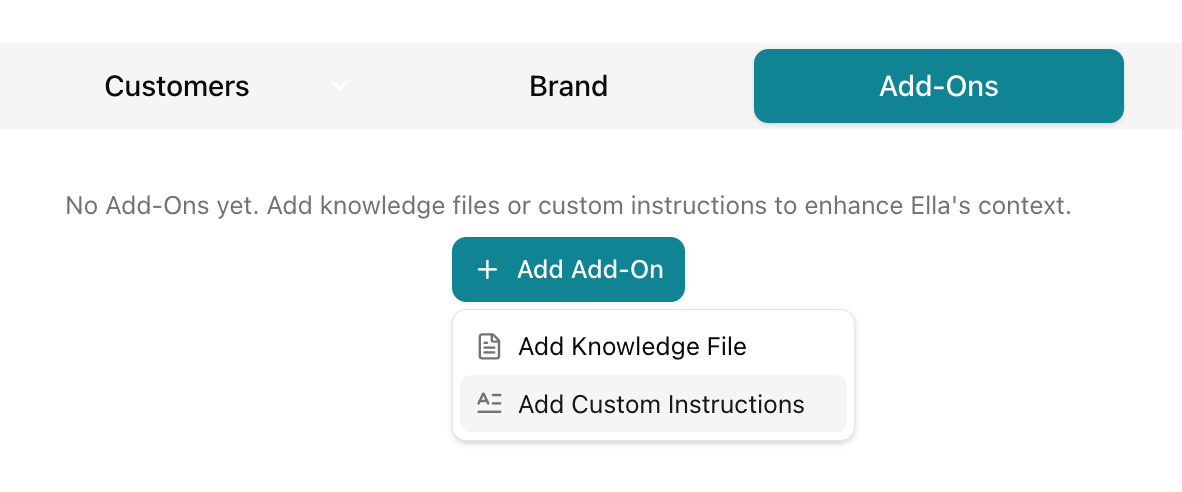
You can now add Custom Instructions as text‑based add‑ons to Brand Bots, alongside Knowledge File add‑ons.
Why you’ll love it:
-
Create “custom GPT‑style” behaviors just by writing instructions—no files required.
-
Layer specialized behaviors on top of your existing Brand Bot, such as:
-
“Use our founder’s voice and style.”
-
“Treat this as a regulated category—never invent claims.”
-
“Always prioritize this specific positioning angle when we talk about offers.”
-
-
Update and refine instructions as your process evolves, without needing a heavy configuration sprint each time.
This gives advanced users a precise way to tune Ella so every response feels more like “your team” and less like generic AI.
Bulk Download All Ella‑ments from a Brand Bot
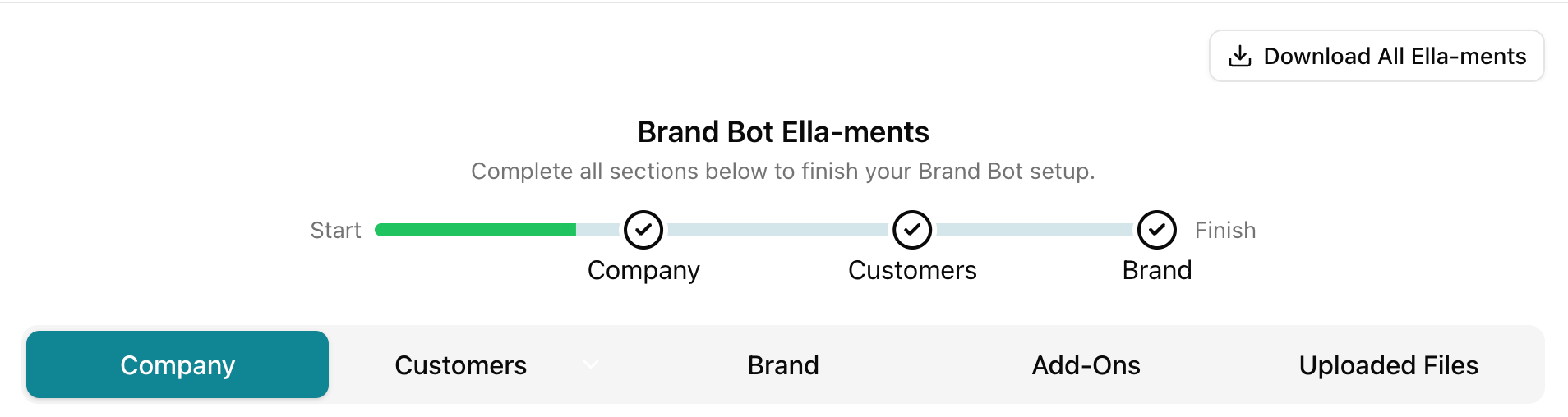
If you're a workspace owner or have been granted Admin access to that workspace you can now download all Ella‑ments in bulk from a Brand Bot’s drawer scope.
Why you’ll love it:
-
Export everything you’ve created in a Brand Bot in one step—for clients, leadership, audits, or backups.
-
Avoid tedious one‑by‑one downloads (and the risk of forgetting an important piece).
-
Easily share a complete “packet” of strategy, messaging, and assets created in Ella with people who don’t log into the platform.
When you need to prove value, build a deck, or move work into another system, this makes Ella’s outputs portable in seconds instead of hours.
Paste Images Directly into Ella Chat
You can now copy and paste images (like screenshots) straight into Ella conversations.
Why you’ll love it:
-
No more “save → browse → upload” just to show Ella what you’re seeing.
-
Share visual context instantly when you’re troubleshooting, reviewing layouts, or documenting issues.
-
Stay in flow: grab a screenshot, paste it into Ella, and immediately ask for analysis, feedback, or a rewrite.
Ella becomes a more natural teammate for visual problem‑solving and creative review.
Favorite Playbooks Section in the Playbooks Drawer
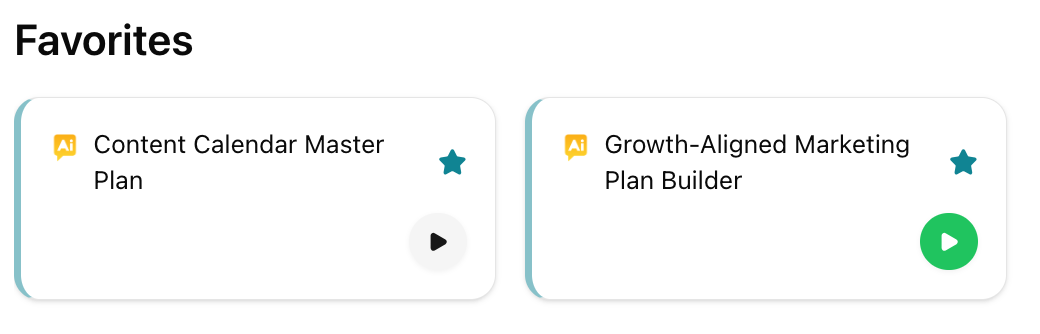
You now have a star‑based Favorites experience in the Playbooks drawer.
Why you’ll love it:
-
Mark any Play as a favorite and it automatically appears in a “Favorite Playbooks” section pinned to the top of All Playbooks.
-
Favorites are personal to each user and persist across sessions, so your go‑to Plays are always right where you expect them.
-
Reduce hunting, scrolling, and “where was that one amazing Play?” moments—your everyday essentials are now just one click away.
This turns the Playbooks drawer into a true command center for your most important workflows, instead of a list you constantly re‑discover.
Attach Files Directly to Plays
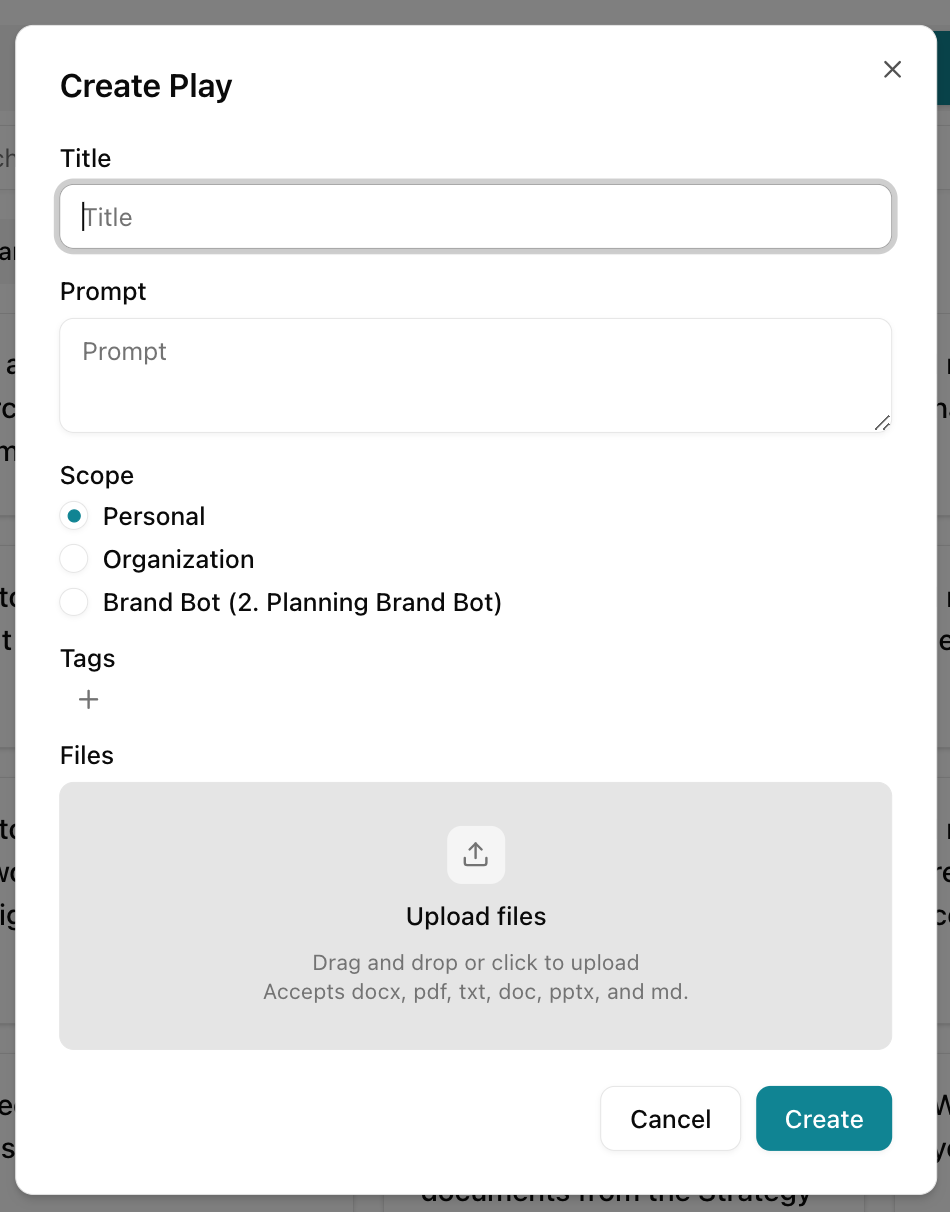
You can now attach supporting files directly to Plays (prompts) in both the Ella Admin tool and the end‑user experience.
Why you’ll love it:
-
Attach up to 10 files per Play (up to 30 MB total), using the same limits you’re used to from chat.
-
Add relevant documents, decks, templates, screenshots, or other reference materials right alongside the Play, instead of explaining context by hand every time.
-
Give Ella richer, more targeted context so responses are more accurate, on‑brand, and tailored to exactly what you’re working with.
This upgrade turns Plays into reusable “mini‑workflows” that carry their own source material with them, so every run starts from the full story, not a blank slate.
Additional Features You’ll Enjoy
-
Rename Organizations and Sub‑Orgs from the UI
Org Admins can now rename Organizations and Sub‑orgs directly from the org switcher ellipsis menu, so your structure always matches how you actually talk about your business—no support tickets or backend tools required. -
Always‑Visible Save Button in Chat
The Save button now appears under chat responses even if no project exists yet, making it obvious that your work can be saved and guiding you into creating a project instead of quietly losing great ideas. -
Default Project Automatically Created in New Workspaces
Every new workspace now ships with a default project already created, so you can start chatting, uploading files, and running Plays immediately—without stopping to set up structure before you can save anything. -
Customer Labels Stay Visible During Plays
Wherever Customer Labels are used, they now remain clearly visible while a Play runs, helping you stay anchored to the right audience and avoid generating the perfect asset for the wrong customer or segment. -
Standardized “Plays” Language Across the App
All references to “Prompts” have been updated to “Plays,” so the language you see in the product matches how we talk about Ella and keeps new users out of “wait, is this the same thing?” confusion. -
Better Admin Visibility for Removed Organization Users
Org Admins now have a “Removed from Organization” section under Users, with an “Add to Organization” action. It’s much easier to see who was removed, when, and by whom—and to restore the right people with the right access in a couple of clicks.
User Experience Improvements
These changes don’t add brand‑new buttons, but they remove friction and surprises so Ella feels more like a system you can trust and less like a tool you have to babysit.
-
More Predictable Org‑Level Workspace Sharing (Especially Legacy Workspaces)
When you switch a workspace from “Private” to “Org,” users with the right roles (Admin, Manager, Contributor, Viewer) can now actually see it—even in older/legacy workspaces. You get the behavior you expect when you open access to the rest of your organization. -
Faster Experience for Users in Australia
We’ve tuned how Ella is served and routed for Australian users, so workspaces, Plays, and chat feel noticeably snappier. If you’re working from AU, Ella should now feel more like a local teammate and less like a distant server. -
Invite Status Accurately Reflects Sent Invitations
When you invite a user at the organization level, their status now updates correctly. “Unsent” really means unsent, and you can see at a glance who’s been invited and who hasn’t—no more double‑sending or guessing.